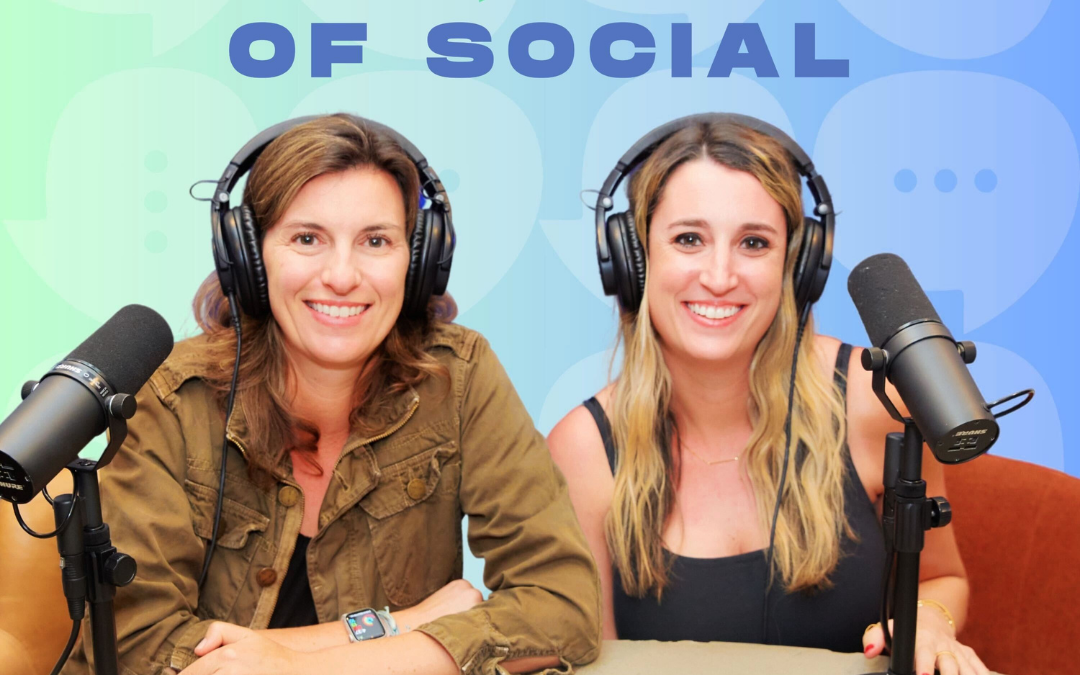
Dose of Social Episode 8: Picture Perfect  Social Media Photography Tips with Dennis Sosa

Dose of Social Episode 8: Picture Perfect Social Media Photography Tips with Dennis Sosa

Picture Perfect: Social Media Photography Tips with Dennis Sosa

Season One | Episode Eight


Listen On Spotify

If you’ve ever found yourself propping your phone up against a stainless steel waterbottle, racing a self-timer, and hoping the lighting cooperates, you’re not alone. On Episode 8 of Dose of Social, Lindsay Mauch and Kayla Perlstein sat down with Los Angeles based photographer Dennis Sosa to talk about all things photography for social media: why it matters, how to plan for a photoshoot, and what to do if hiring a photographer isn’t in your budget (yet).

Professional photos make your life easier.

When you hire a photographer, you’re removing dozens of decisions from your plate such as lighting, angles, composition, timing, and freeing yourself up to focus on one thing: showing up as yourself. As Dennis put it, instead of worrying about whether the shot worked, you can focus on how you want to look and feel in it.

Great photos start with intention. 

Before any shoot, Dennis emphasizes that photography should be a collaboration. The best results come when clients speak up about what they want and what they don’t want. That starts with defining goals ahead of time. How do you plan to use these photos? Are they for LinkedIn? Instagram? A website refresh? Behind-the-scenes content? Each use case may require a different look, format, or environment.

This is where creating a shot list becomes essential. A shot list is just what it sounds like. It’s a literal list of everything you’d like to accomplish in a shoot. Time with a photographer is limited, and having a plan ensures you get everything you need. A thoughtful shot list also helps you think through what outfits you’ll need, locations, and how you want to present yourself visually.

Location plays a huge role, too. While the idea of shooting at the beach or outdoors sounds appealing, the shot list should always come first. Once you know what you’re trying to capture, you can choose a location that supports it. That could be an office, a studio, or a shaded outdoor area. Overcast days and indirect light are often ideal, and natural elements like sidewalks, walls, or sand can act as built-in light reflectors.

Another underrated part of a great shoot? Feeling comfortable.

Many people say the same thing before stepping in front of the camera: “I don’t photograph well.” Dennis’s approach is simple — conversation. By talking, listening, and keeping the camera rolling, people relax, forget the camera is there, and show up naturally. That’s often when the best shots happen.

If hiring a photographer isn’t possible right now, don’t panic. Today’s phones are incredibly powerful. With a few affordable tools — like a tripod, a flexible stand, or a small microphone — you can create high-quality content on your own. The key is light, practice, and permission to experiment.

Because at the end of the day, the goal isn’t perfection. It’s progress — and showing up consistently.

Listen On Youtube

3-5 Actionable Takeaways

  1. Create a shot list before every photo shoot: Know what you need and where it will be used before the camera comes out.

  2. Choose your location based on your goals, not vibes alone. Let the purpose of the photos guide whether you shoot indoors, outdoors, or in a studio.

  3. Prioritize comfort over posing. Natural conversation leads to more authentic, usable photos.

  4. Use natural light whenever possible. Shade, overcast skies, and reflective surfaces can dramatically improve photos.

  5. If you’re DIY-ing, keep it simple and test often. A tripod, your phone, and good light can go a long way — mistakes are part of the process. Portrait mode on iphone is your friend!

You can find Dennis on Instagram at https://www.instagram.com/sosaphotog/.

Listen On Apple

❤️ Loving the show?

If you enjoyed this episode, please head over to Apple Podcasts and leave a rating. It takes less than a minute and helps us keep creating content.

Dose of Social Episode 8: Picture Perfect  Social Media Photography Tips with Dennis Sosa

Dose of Social Episode 7: Social Media Content Calendars: Easy,Simple, and Actionable Tips for Your Small Business

Social Media Content Calendars: Easy,Simple, and Actionable Tips for Your Small Business

Season One | Episode Seven


In this episode of Dose of Social, Lindsay Mauch and Kayla Perlstein tackled one of the most common pain points they hear from small business owners: how to create a social media content calendar and figure out what to post on social media.

Most business owners understand why social media matters. They know it helps with brand awareness, connection, and building community. Where they get stuck is the how: what to post, when to post it, and how to stay consistent without it becoming a full-time job. This episode breaks that process down into a system that’s realistic, flexible, and doable even if you’re running your business solo.

Start with Content Pillars, not posts

Before you even begin with a Social Media Content Calendar, you need to define your content pillars. Content pillars are the core themes your brand talks about on social media. They give your content structure and make decision-making and content planning easier.

Most brands work best with three to five pillars. For example:

  • Products or Services
  • Lifestyle or Use cases
  • Brand Story or Behind-The-Scenes
  • Reviews or Testimonials
  • Education or Tips

Once you have your content pillars, content planning becomes much simpler. Instead of asking, “What should I post today?” you create one post per week according to your pillars. 

Build your calendar in the simplest way possible

You do not need fancy software to plan content. Lindsay and Kayla both use Google Sheets. A notebook or printed calendar works just as well. Whatever helps you stay organized. 

Map out your social media content calendar on a monthly basis and think about:

  • How many times you realistically want to post each week
  • Which content pillar fits into each post slot
  • Any business moments coming up (launches, events, promotions)

From there, you can fill in the details: captions, hashtags, links to assets, and notes about where content will be repurposed (like Stories).

Use everyday business life as content

Content does not have to be a big production. Get out of the mindset of thinking it has to be a huge effort. 

Your daily business activities are content:

  • Meetings (in person or on Zoom)
  • Packing orders or working in the warehouse
  • Team moments or employee spotlights
  • Store traffic, pop-ups, or client visits

Most social posts represent seconds of real life—not hours. You don’t need to document everything, just moments.

Be Intentional with Social Media Holidays

There’s a “National Day” for almost everything on social media, but that doesn’t mean you should post all of them. Choose holidays that make sense for your brand. If you like coffee, post for National Coffee Day. Post the holidays that matter to your brand and skip the rest. Relevance always wins over volume.

Use AI as a Helper, Not A Replacement

AI tools like ChatGPT can be incredibly helpful for content planning when used correctly. Instead of asking for a full calendar and copying it verbatim, use AI to:

  • Brainstorm caption ideas
  • Rewrite copy in different tones
  • Generate call-to-action variations
  • Spark ideas when you feel stuck

AI works best as a brainstorming partner, not a copy-and-paste solution. Always tweak the output so it sounds true to your brand. 

3–5 Actionable Takeaways

  1. Define your 3–5 content pillars first. This removes decision fatigue and gives your content structure.
  2. Keep your content calendar simple. Google Sheets, paper, or a template—use what you’ll actually stick with.
  3. Pull content from everyday business life. You don’t need constant photo shoots or polished videos.
  4. Be selective with social media holidays. Post only the ones that align with your brand.
  5. Use AI to support creativity, not replace it. Treat it like a brainstorming buddy, not your voice.

Content planning doesn’t have to be complicated. With clear content pillars, a simple social media calendar, and a realistic approach, social media becomes manageable—and sustainable—for the long haul.

You can purchase our Dose of Social content calendar template in our shop here.

❤️ Loving the show?

If you enjoyed this episode, please head over to Apple Podcasts and leave a rating. It takes less than a minute and helps us keep creating content.

Dose of Social Episode 8: Picture Perfect  Social Media Photography Tips with Dennis Sosa

Dose of Social Episode 6: The Essentials of Social Media Branding with Christine Moore

The Essentials of Social Media Branding with Christine Moore

Season One | Episode Six


Listen On Spotify

In Episode 6 of Dose of Social, Lindsay Mauch and Kayla Perlstein sat down with longtime creative partner Christine Moore to talk about a topic that’s often overlooked but absolutely critical to success on social media: branding.

Christine and Lindsay currently work together at LTM Digital. They have worked together for 20 years, dating all the way back to the early days of Myspace. Yes, Myspace! With a background in photography and graphic design, Christine brings a creative-first perspective to how brands should show up online, especially small businesses that don’t always have the luxury of a full creative team.

Branding Doesn’t Stop At Your Website

Branding isn’t just your logo or your website. If you’ve invested time and money into naming your business, designing a logo, and building a website, your social media should reflect that same level of attention and care.

Social media is often the first touchpoint someone has with your brand. If your website feels polished but your Instagram feed feels chaotic or disconnected, that inconsistency creates friction and confusion for your target audience.

Start with Brand Guidelines

Christine emphasized the importance of having a Brand Book or Brand Guidelines, even if it’s a lightweight version. At the very minimum, brand guidelines should include:

  • Brand colors
  • Fonts (and how they should be used)
  • Logo usage (and misusage)
  • Tone and voice
  • Photography and video style

These guidelines give anyone working on your brand a clear foundation to work from. This can be anyone from designers, social media managers, influencers, or vendors. It also ensures your brand stays recognizable and cohesive as it grows.

Finding the balance between polished and authentic

When it comes to social media aesthetics, Christine shared a refreshingly realistic take: the sweet spot is somewhere in the middle. Feeds that are too chaotic feel unprofessional, while feeds that are overly curated can feel sterile and inauthentic.

Authenticity can be messy, and that’s okay. Off-the-cuff posts, behind-the-scenes moments, and imperfect content all have a place. But they should be “bookended” by content that clearly reflects your brand’s visual identity. This balance helps your feed feel human and intentional.

Listen On Youtube

Bringing your brand book to life on social

For brands wondering how to actually apply brand guidelines to social media, Christine suggested starting with a content audit:

  • Identify your content buckets
  • Remove content types that no longer align
  • Ensure graphics use your fonts and colors
  • Align photography and video style with your website

Even small details such as using consistent Instagram Story fonts or brand colors can make a big difference over time.

Tools that make branding more accessible

While Christine is an Adobe pro, she acknowledged that tools like Canva have made branding far more accessible for small businesses. Canva allows you to upload your brand kit (fonts, colors, logos) and apply it across templates for posts, stories, flyers, and even basic videos.

For business owners on a budget, Christine also recommended:

  • Looking to local art schools for emerging designers
  • Asking for portfolios before hiring
  • Paying fairly for creative work to get better results

And when it comes to photography? Lighting matters. Simple investments like affordable backdrops, reflectors, or surface boards can dramatically improve the quality of iPhone photos and videos.

3–5 Actionable Takeaways

  1. Create Brand Guidelines for your business, even if it’s just a simple version. Define your colors, fonts, tone, and visual style so everything stays aligned.

  2. Audit your social feed. Remove content that doesn’t fit and tighten up visuals to better reflect your brand.

  3. Aim for balance, not perfection. Mix authentic, real content with more polished brand-aligned posts.

  4. Use accessible tools. Set up your brand kit in Canva to keep visuals consistent without a big budget.

  5. Improve quality with small upgrades. Better lighting, simple backdrops, and portrait-mode iPhone shots can instantly elevate your content.

This episode is a reminder that strong branding isn’t about being flashy—it’s about being clear, consistent, and recognizable everywhere your audience finds you.

Christine Moore is the Creative Director at LTM Digital.

Listen On Apple

❤️ Loving the show?

If you enjoyed this episode, please head over to Apple Podcasts and leave a rating. It takes less than a minute and helps us keep creating content.

Dose of Social Episode 8: Picture Perfect  Social Media Photography Tips with Dennis Sosa

Dose of Social Episode 5: Digital Marketing vs. Social Media: What the Heck is the Difference?

Digital Marketing vs. Social Media: What the Heck is the Difference?

Season One | Episode Five


Listen On Spotify

If you’ve ever heard a business owner say, “We need a Social Media Manager who can also run our ads, send email newsletters, do SEO, website updates, AND content creation…you already know why we recorded this episode.

In this episode of Dose of Social, Lindsay Mauch and Kayla Perlstein break down a topic that comes up constantly with potential clients and small business owners: What is the difference between social media management and digital marketing? Understanding the difference will help save you time, money, and set the right expectations on both sides from the get go. 

First of all, social media is one channel inside a bigger digital marketing ecosystem. Think of it as a spoke within your digital marketing wheelhouse. 

Lindsay explains like this: digital marketing is your toolbox, and your marketing channels are the tools inside it. Social media is one tool—alongside performance marketing, email marketing, SEO, website optimization, PR, creative, and analytics.

That’s why the phrase “I need help with digital marketing” can be vague and mean a lot of different things. It might mean you need someone to run your Meta or Google Ad Campaigns. Or build email flows for your ecommerce business on Klaviyo. Or overhaul your content strategy. When you understand that digital marketing is the umbrella, you’ll stop expecting one person to handle every single channel at once.

So, what does a Social Media Manager actually do? 

As the founder of Golden Bird Marketing (organic social and community-building specialists), Kayla lays it out clearly: a Social Media Manager manages your social media.

In practice, that usually includes:

  • Creating and scheduling posts across your social media platforms (IG, TikTok, LinkedIn, Pinterest, etc.)

  • Writing captions and selecting hashtags

  • Building a content calendar

  • Community engagement (comments + DMs), either directly or with support

  • Light reporting and insights on what’s working – and what isn’t 

Many Social Media Managers can also do basic content creation—think Canva graphics, simple iPhone video edits, and resizing assets for different platforms. But here’s the key: this does not mean a Social Media Manager is your Graphic Designer, Copywriter, Photographer, SEO Specialist, Email Marketer, or Paid Ads Manager. Some may have overlap (unicorns do exist), but it’s not the standard, and it shouldn’t be expected – especially at entry-level budgets.

Content is the vehicle for social media, and it has to come from somewhere

One misconception that shows up often: brands assume the Social Media Manager will create all the content for their brand from scratch. In reality, social content is fueled by assets—photos, videos, product shots, UGC clips, behind the scenes (BTS) and founder footage.

Both Kayla and Lindsay talked about practical solutions for Social Media Managers:

  • Ask clients for existing assets upfront

  • Use iPhone/UGC-style content (it doesn’t need to be perfect)

  • Provide shot lists (especially for events or trade shows) so clients can capture what’s needed quickly

  • Bring in specialists (photographers, designers, or video editors) when needed

Listen On Youtube

Why Organic Social shouldn’t be measured only by sales

Another big takeaway: organic social is often misunderstood as a direct sales engine. Yes, it can support sales, but the primary value of organic social is usually:

  • Brand awareness

  • Community building

  • Trust and validation

  • Ongoing visibility

Lindsay makes an important point: organic reach is limited, even with large follower counts. If you want consistent conversion outcomes, you typically need paid support behind your organic efforts.

But organic social media still matters. Even if your budget is heavily weighted toward ads, your social profile is often your “second front door.” People click ads… then check your Instagram for credibility. A messy, inactive feed can tank trust fast. 

Social media also helps keep your business or brand top of mind, and consistent posting is key.

Paid ads: small budgets = awareness expectations

When brands say “I tried paid ads with a budget $100 and it didn’t work,” Lindsay explains the reality: that budget usually buys awareness, not conversions. If you’re spending $10–$25/day, align your expectations accordingly, run long enough to learn (often at least 10-14 days), and build strategy from the data.

3–5 Actionable Takeaways

  1. Define the role before you hire. Social media management ≠ full digital marketing. List what you need (organic social, ads, email, SEO, website) and hire accordingly.

  2. Stop searching for a unicorn on a starter budget. If you need ads + email + SEO + web + social, expect multiple specialists or an agency team.

  3. Create a content system. Plan for where assets come from—photo shoots, UGC, founder videos, and client shot lists—so your social manager isn’t stuck “making something out of nothing.”

  4. Measure organic social correctly. Track awareness, engagement, and community health—not just sales. Use paid to drive conversions.

  5. If you’re running ads, clean up your profile. Your Instagram (or TikTok) is your credibility check. Make sure it looks active, cohesive, and trustworthy before scaling your ad spend.

If you are interested more in Digital Marketing or Social Media, you can book an intro call with Lindsay or Kayla at the following links:

Intro Call with Lindsay Mauch of LTM Digital (and Co-Host of Dose of Social)

Intro Call with Kayla Perlstein (and Co-Host of Dose of Social)

Listen On Apple

❤️ Loving the show?

If you enjoyed this episode, please head over to Apple Podcasts and leave a rating. It takes less than a minute and helps us keep creating content.

Dose of Social Episode 8: Picture Perfect  Social Media Photography Tips with Dennis Sosa

Dose of Social Episode 4: The Legal Side of Social Media: A Conversation with Robert Freund

The Legal Side of Social Media: A Conversation with Robert Freund

Season One | Episode Four


Listen On Spotify

If you’ve ever seen a creator post about your brand, business, or product and thought, “Amazing, we should repost that,” this episode is your friendly (and very necessary) reality check.

In Dose of Social Episode 4, we sat down with Social Media Lawyer Robert Freund, an LA-based Advertising + E-Commerce attorney who helps brands avoid the kinds of legal issues that can turn into expensive, time-consuming problems. His background is in commercial litigation (including false advertising class actions), and today he focuses on what he calls “litigation avoidance” by helping brands spot risks before they become lawsuits.

And yes… brands get sued for social content all the time.

Copyright basics: posting it online doesn’t make it “fair game”

Robert broke down one of the biggest misconceptions in marketing: just because content is shared online doesn’t mean you can use it. The creator who made the photo or video automatically owns the copyright the moment they create it. Posting to Instagram doesn’t transfer ownership, it simply gives the platform limited rights to display and share the content within the platform’s tools.

Where brands get in trouble is when they download or repost creator content as their own, especially when they move it across platforms (like from TikTok to Instagram). That’s a straightforward copyright infringement claim.

And one more myth to retire: giving credit to a creator doesn’t protect you. Tagging the creator may actually make it easier for them to discover the infringement.

“But they tagged us” still isn’t permission

Another common scenario: a snack brand gets tagged in a Reel, and assumes that means they can repost it. Robert’s answer was clear: a tag is not a license for reuse. If you want to reuse content, you need permission, ideally in writing, even if it’s a simple DM that clearly grants rights.

Safe alternative: use the in-platform share features like sharing to Stories or Repost on the Feed (Updated 2025) rather than ripping and reposting.

Memes and Celebrity Images: Two Fast Ways To Get Sued

Memes feel like internet culture, but they’re still content owned by someone. Robert shared that dozens of brands have been sued for using popular meme templates (including the “dude with sign” meme) due to copyright + right of publicity violations.

Right of publicity is separate from copyright and means people (not just celebrities, especially in California) can control the commercial use of their name, image, or likeness. Using a celebrity photo to promote your brand without permission can absolutely trigger a claim, even if they wore your product.

Listen On Youtube

Giveaways: Don’t Accidentally Run A Lottery

Giveaways are everywhere — and full of legal landmines. The biggest risk is accidentally creating an illegal lottery, which happens when you have:

  1. A Prize
  2. Awarded by Chance
  3. Requiring “consideration” (money or meaningful effort) to enter

If purchase is required, you generally need a free method of entry (and it must be treated equally). Robert also emphasized that brands should use official rules and, in some states (like New York and Florida), giveaways may require registration depending on prize value.

And that “Not Sponsored by Instagram” line? Required by the platform, but not sufficient for legal compliance.

FTC crackdowns: Fake Followers + Affiliate Claims

Two big FTC-related reminders:

  • Buying followers, likes, or fake engagement is illegal under newer FTC rules targeting fake indicators of influence — and can trigger civil penalties.

  • Affiliate/influencer content is treated like your brand’s advertising. If an affiliate makes exaggerated claims, the brand can still be responsible. That’s why monitoring and clear agreements matter.

Actionable Takeaways From This Episode: 

  • Never repost creator content without explicit permission.

  • Credit and tags don’t equal rights.

  • Memes and celebrity imagery can trigger copyright + publicity claims.

  • Giveaways need official rules (and sometimes legal setup).

  • FTC rules apply to endorsements, affiliates, and fake engagement.

Reminder: protect your growth and your business by building smarter systems behind the content.

Find Robert Online at https://robertfreundlaw.com/.

Listen On Apple

❤️ Loving the show?

If you enjoyed this episode, please head over to Apple Podcasts and leave a rating. It takes less than a minute and helps us keep creating content.

Dose of Social Episode 8: Picture Perfect  Social Media Photography Tips with Dennis Sosa

Dose of Social Episode 3: E-Commerce, Growth Marketing, and Social Selling with Lan Tran

E-Commerce, Growth Marketing, and Social Selling with Lan Tran

Season One | Episode Three


Listen On Spotify

In Episode 3 of Dose of Social, we sat down with Lan Tran, a true e-commerce and digital marketing veteran with 20+ years of experience across email, paid media, and growth marketing. This one felt extra special because Lan and Lindsay go way back (think: the early days pf JustFab and Fabletics before Fabletics even launched. It was equal parts nostalgia and wildly relevant to where online shopping is headed next.

Lan’s career has taken her from direct mail and email marketing to helping shape the early days of social commerce. Fun fact: she was the first digital marketing hire at Forever 21 and set up their earliest social accounts—back when you had to beg friends and coworkers to like a brand page just to hit the minimum follower count to get a brand handle. The internet has changed a lot since then, but the fundamentals of what drives growth haven’t.

Social media isn’t just branding anymore—it’s a sales channel.

Lan made a point we’re seeing more and more with our clients: organic social isn’t only about awareness and community: it’s now a direct revenue driver. Platforms like TikTok are heavily investing in native shopping, and brands that figure out social selling early are seeing meaningful results.

Lan compared TikTok Live selling to the modern version of QVC: creators host live shopping sessions, products are purchased directly inside the platform, and everyone wins. The influencer earns a percentage, the platform takes a cut, and the brand gains customers. One of the most interesting insights she shared: customers who purchase through social platforms can be “stickier” and return more often because the buying experience matches how they already consume content.

And while TikTok may have started with a younger demo, Lan is now seeing a wider range of audiences on the platform—depending on the product category. Translation: TikTok is no longer “just for Gen Z.” Many brands can find their audience on TikTok.

Growth marketing = Scaling, but profitably

When Kayla asked Lan to define growth marketing, her answer was simple and sharp: growth marketing is scaling – revenue, traffic, downloads, or whatever the business goal is – while keeping an eye on profitability.

Lan shared a standout example from her time leading growth at Tea Drops, where the brand landed on a list of the fastest-growing Shopify businesses (based on major traffic and revenue growth). Her biggest takeaway? Growth requires systems—but it starts with creative.

Listen On Youtube

Great content is the foundation of scalable growth

If you’re a small business owner hoping to grow online, Lan’s advice was consistent throughout: content is the starting point. Without content that resonates, you can’t scale effectively—paid media won’t “fix” weak messaging.

She emphasized testing multiple story angles:

  • Founder story (almost always the strongest)
  • Product story
  • Influencer story
    Aesthetic/lifestyle story

Founder content, she said, wins again and again because people connect to the “why” behind the business.

You don’t need a huge budget to make content that converts.

Lan shared that some of the best-performing creative she sees is not highly produced. In many cases, iPhone content with imperfect lighting, real moments outperforms professional shoots. Lan also recommended leveraging low-lift options like micro-influencers, UGC platforms (she mentioned Billo), and simply going live to build community.

Lan’s best community-building tip? Create a VIP group, especially on Facebook, and bring in a superfan to help moderate. Sometimes the “best” community manager is already in your audience.

Actionable Takeaways From This Episode

  1. Treat social as a sales channel, not just branding. Enable native shopping wherever possible (TikTok Shop, Instagram/Facebook Shops).

  2. Lead with founder storytelling. It’s consistently one of the highest-performing content types for both organic and paid.

  3. Use organic as your testing ground. When a product-focused post performs well organically, turn it into paid creative.

  4. Don’t wait for a big budget. iPhone content, micro-influencers, UGC tools, and live selling can drive meaningful results.

  5. Build community on purpose. VIP groups, consistent live sessions, and superfan moderators can create loyalty that fuels repeat purchases.

If you’re building an e-commerce brand (or supporting one), “social” isn’t optional anymore. It’s where discovery, trust, and transactions are increasingly happening in the same scroll.

You can find Lan online at https://www.linkedin.com/in/lan-tran-sellitti/

Listen On Apple

❤️ Loving the show?

If you enjoyed this episode, please head over to Apple Podcasts and leave a rating. It takes less than a minute and helps us keep creating content.